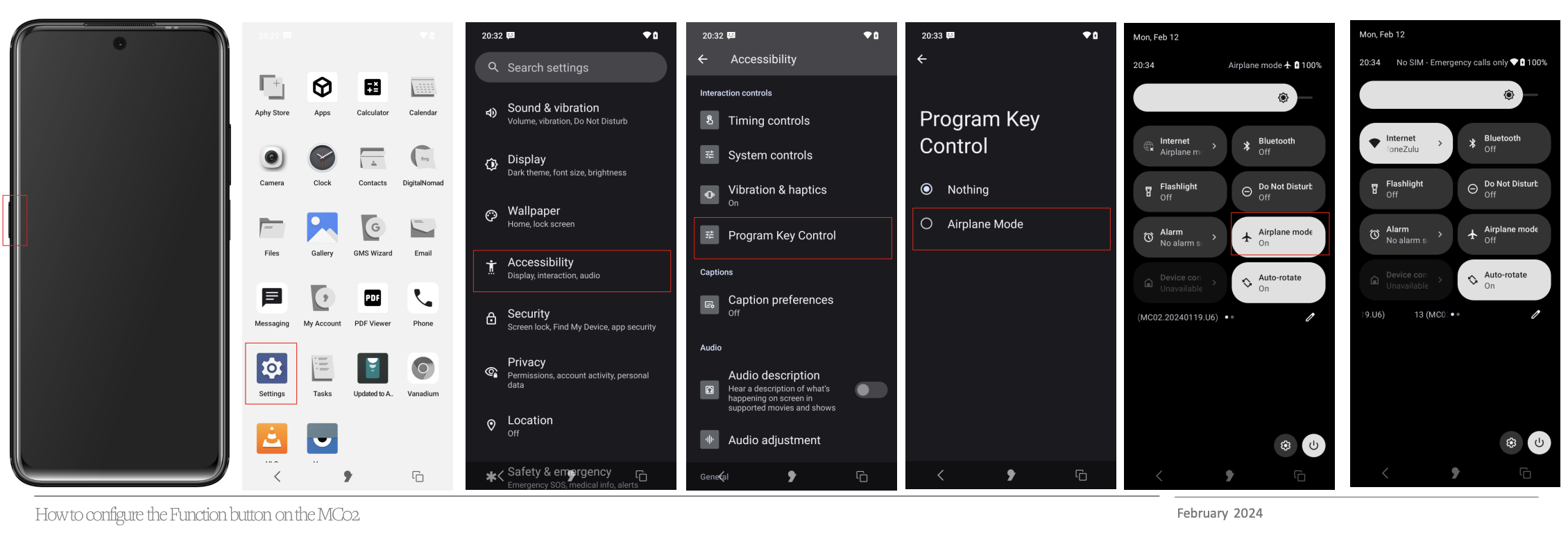
How to configure the Function button on the MC02?Updated 8 months ago
- To configure the customisable Function button, from the Home screen swipe up to access the App tray.
- Tap the Settings icon then scroll down and tap Accessibility.
- Scroll down and tap Program Key Control.
- Currently the option is Nothing (default) or Airplane Mode.
- Pressing the Function button will enable Airplane mode.
- To disable Airplane mode, swipe down twice and tap Airplane mode to deactivate it.